Manual bulk changes
Editing hundreds of pages one at a time
An audit says 600 pages need new titles and alt text. Your team estimates three weeks of copy-and-paste, and the work never quite gets finished.
Most SEO teams lose days to work a script could do in minutes: updating hundreds of titles by hand, copying crawl exports into spreadsheets, checking canonicals one URL at a time, writing alt text image by image. I've built around forty tools to do exactly that on my own client work: WordPress plugins, Google Sheets scripts, Python notebooks, AI web apps and browser extensions. I can put the relevant ones to work on your site, or build what your team is missing.
If your team does the same SEO task every week by hand, it can probably be automated.
Editing hundreds of pages one at a time
An audit says 600 pages need new titles and alt text. Your team estimates three weeks of copy-and-paste, and the work never quite gets finished.
Hours spent building the same report every month
Someone exports from Search Console, Analytics and a crawler, pastes it all into a sheet and formats it. By the time it's done, it's out of date.
AI content that reads like everyone else's
You tried writing with a chatbot. The pages came out bland, confidently wrong in places, and indistinguishable from your competitors'.
Each part below is a real piece of the work, with the trade term it goes by and what it means in plain English.
Pushing SEO changes across a whole site at once
WordPress plugins I wrote for exactly this: bulk page templates for products, collections, services, locations and industries; bulk title and meta updates from a spreadsheet; bulk internal links; bulk alt text. Plus a push-to-live notebook for WordPress and Shopify.
Turning raw exports into decisions
A notebook that turns a Screaming Frog export into one consolidated sheet with solutions attached. Another that does the same for Search Console. A Search Console exporter for large sites, a rank tracker, and brand-mention alerts, so reporting is assembled, not hand-built.
SEO functions inside the spreadsheet your team already uses
Menu tools that extract titles, H1s and meta from live pages, generate titles and meta from page content and rules, write alt text from the image and its context, check canonicals in bulk and generate redirect maps.
AI that follows a process, not a prompt
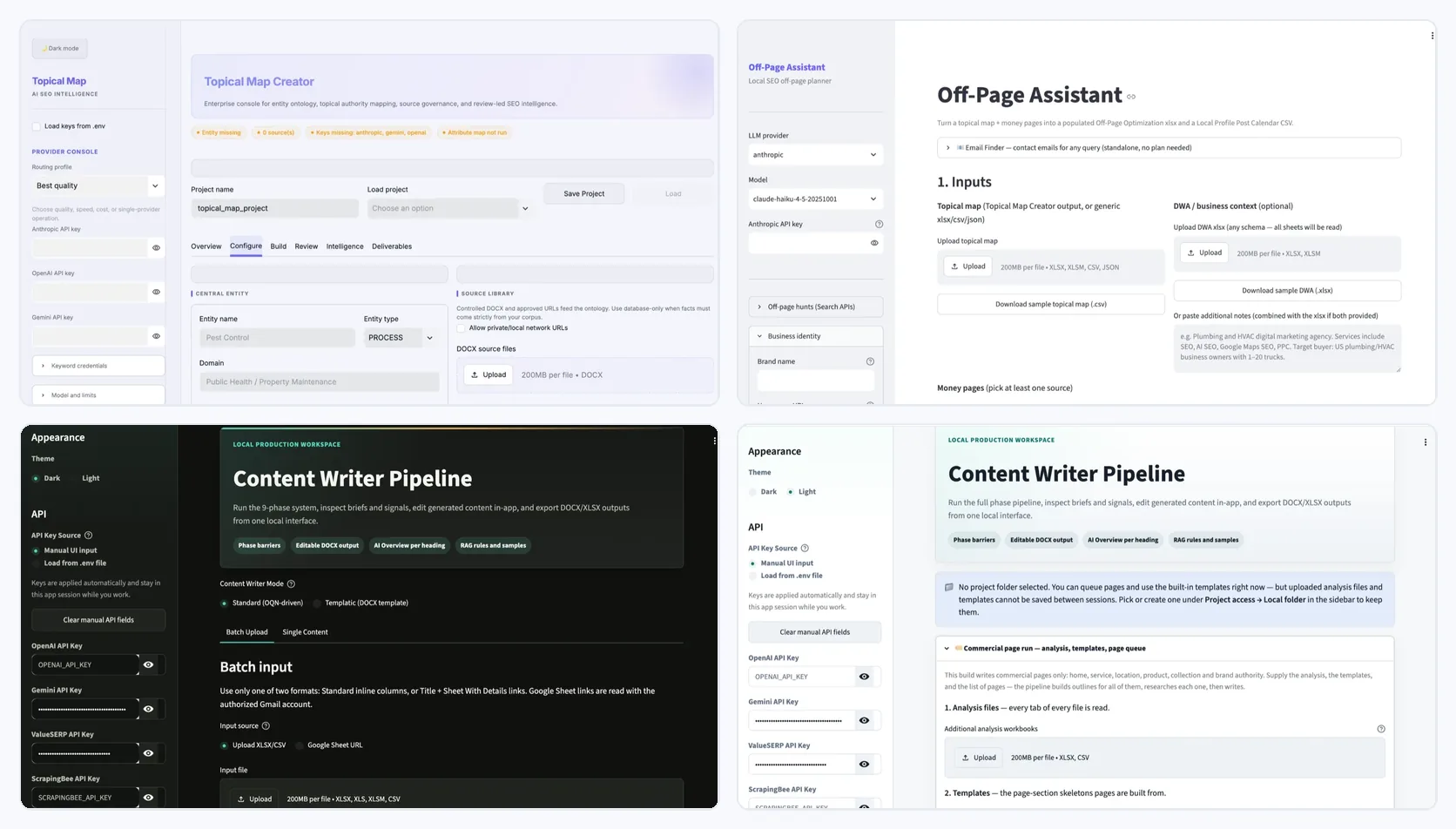
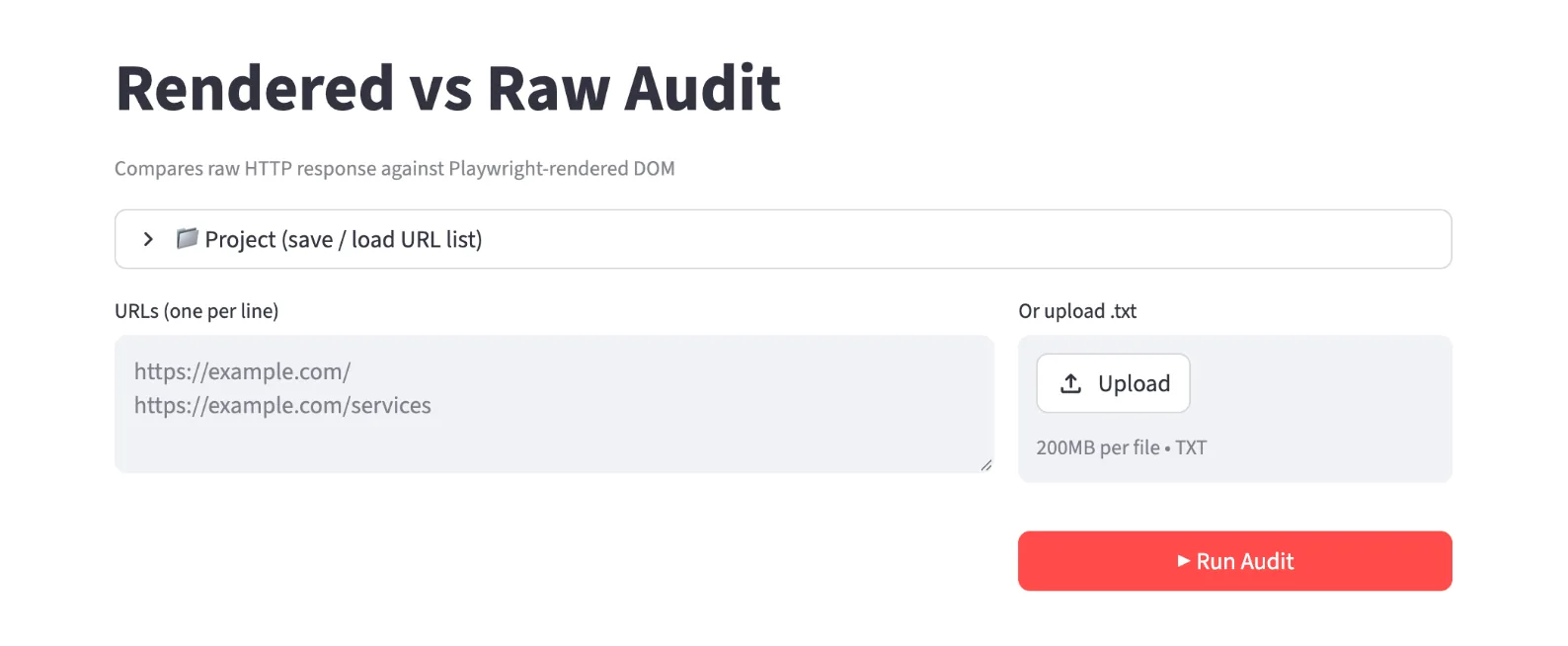
Web apps that run a designed pipeline with its own knowledge pack, rules and checks: topical maps, off-page plans, content and commercial page writing, render audits. Each job is routed to the AI model that does it best rather than one model doing everything.
One AI model shouldn't do everything
Reading a large document, writing clean copy and doing careful reasoning are different jobs, and different AI models are better at each. My apps route every task to the model that fits it, and start with the cheapest reliable approach before escalating to an expensive one.
Which of your recurring SEO tasks are worth automating, and what each one saves.
The relevant plugins, scripts and apps set up on your stack.
New tools where nothing existing fits, scoped per project.
How to run each tool, so it isn't dependent on me.
What your team does by hand every week, and how long it takes.
Existing tools configured up front; custom builds only where they're needed.
Tools used on real tasks with your team, then adjusted.
Documented and handed to your team to run.
Every tool here was built out of necessity on client work: the audit centralisers to turn raw crawl and Search Console exports into one sheet with solutions, the bulk plugins to push changes across hundreds of pages, the writer pipelines to replace one-off AI prompts with a designed process.
The honest part: These run my own client delivery. Tools for your team are configured or built per project. They aren't sold as off-the-shelf software.
SEO has its own vocabulary. Here's the part of it this service uses, so a report never reads like a foreign language.

Everything on this page comes from how I actually run this work. The checklists, the tools and the results are real. Tell me what's happening on your site and I'll tell you honestly whether this is the right place to start, or whether something else needs fixing before it.
No. The spreadsheet tools run from a menu, the plugins from your WordPress dashboard and the apps from a browser. Handover notes cover each one.
Yes, where nothing existing fits. I start with what's already built, because a configured tool is faster and cheaper than a new one.
No. It removes the copy-and-paste so the judgement work gets done. Every automated change still follows the same checklist as a manual one.
Service pages that sell, guides that get quoted in AI answers, and a rule book that keeps every page on-brand and free of filler.
See the service Fix the foundationCrawl, index, render and speed problems found, evidenced and fixed on the live site, then re-checked until they're gone.
See the service Get foundA map of every page your site needs to own its subject: what to build, in what order, and how each page links to the one that makes money.
See the serviceSend me your site and what you're trying to grow. I'll look at it myself and reply personally, usually within one business day.