Indexing gaps
Pages exist, but Google hasn't filed them
You publish pages and they never show up in search. Search Console lists hundreds as “Crawled – currently not indexed” and nobody can tell you why.
Most technical audits end as a 90-page PDF nobody implements. Mine end when the issue is gone from the live site. I crawl your site the way Google's smartphone bot does, check what Search Console says Google actually indexed, test whether your content survives JavaScript rendering, and read your server logs to see where Google spends its visits. Every issue becomes a finding with evidence, a consequence, a one-line fix and a way to prove the fix worked.
If rankings stalled and nobody can say why, start with the audit lane that fits, or all eleven.
Pages exist, but Google hasn't filed them
You publish pages and they never show up in search. Search Console lists hundreds as “Crawled – currently not indexed” and nobody can tell you why.
Google spends its visits on pages that don't matter
Filter URLs, sort orders and old tag pages soak up Google's attention while your service and product pages wait weeks to be re-read.
Content only appears after JavaScript runs
Your page looks fine in a browser, but the tabs, accordions and reviews are invisible in the initial HTML Google reads. To Google, half the page is missing.
Google's measure of how fast and stable a page feels
Phones wait four seconds for your page to settle. Visitors leave before it loads, and Google notices they left.
Each part below is a real piece of the work, with the trade term it goes by and what it means in plain English.
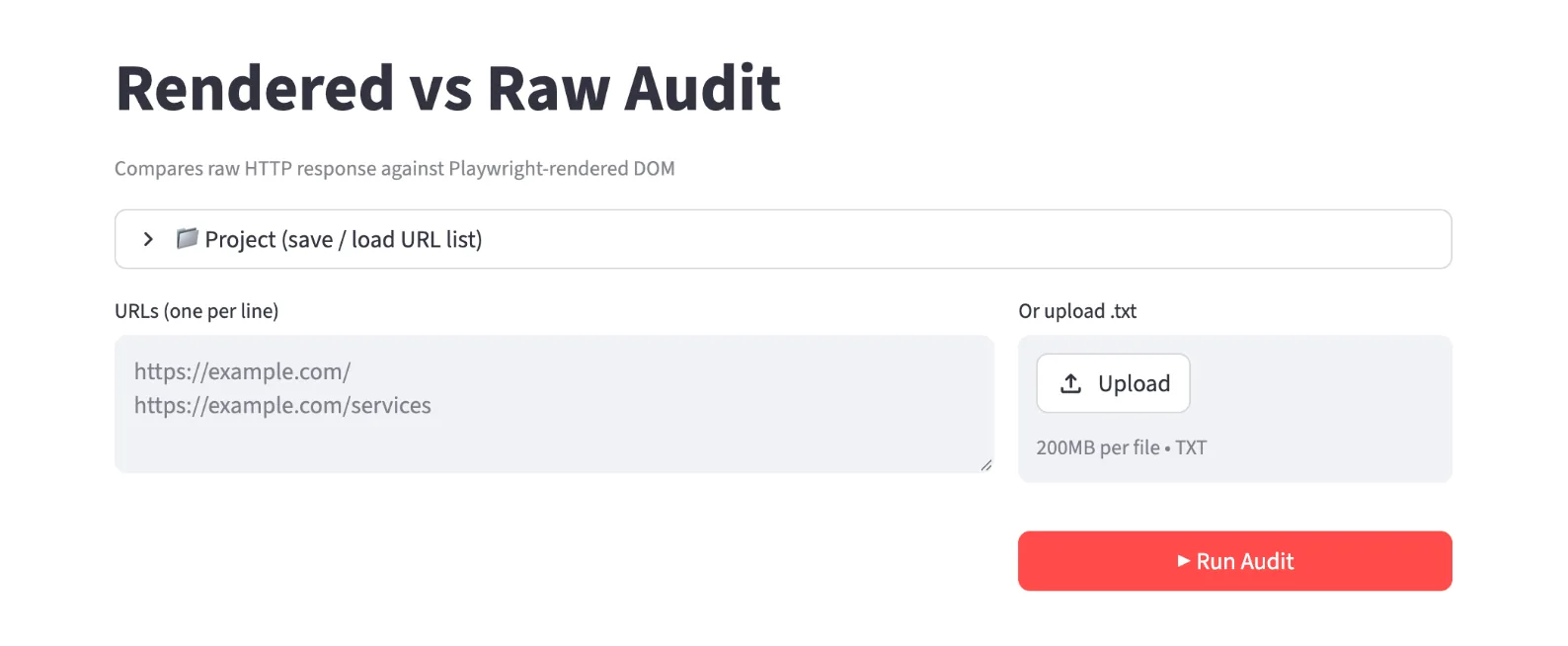
Walking every URL the way Googlebot does
I crawl as Google's smartphone bot, not a desktop browser. Crawling a mobile-indexed site as desktop hides real problems. Every issue is listed with its URLs and a specific fix, not a bucket count. The audit isn't closed until a second crawl confirms the issue is gone.
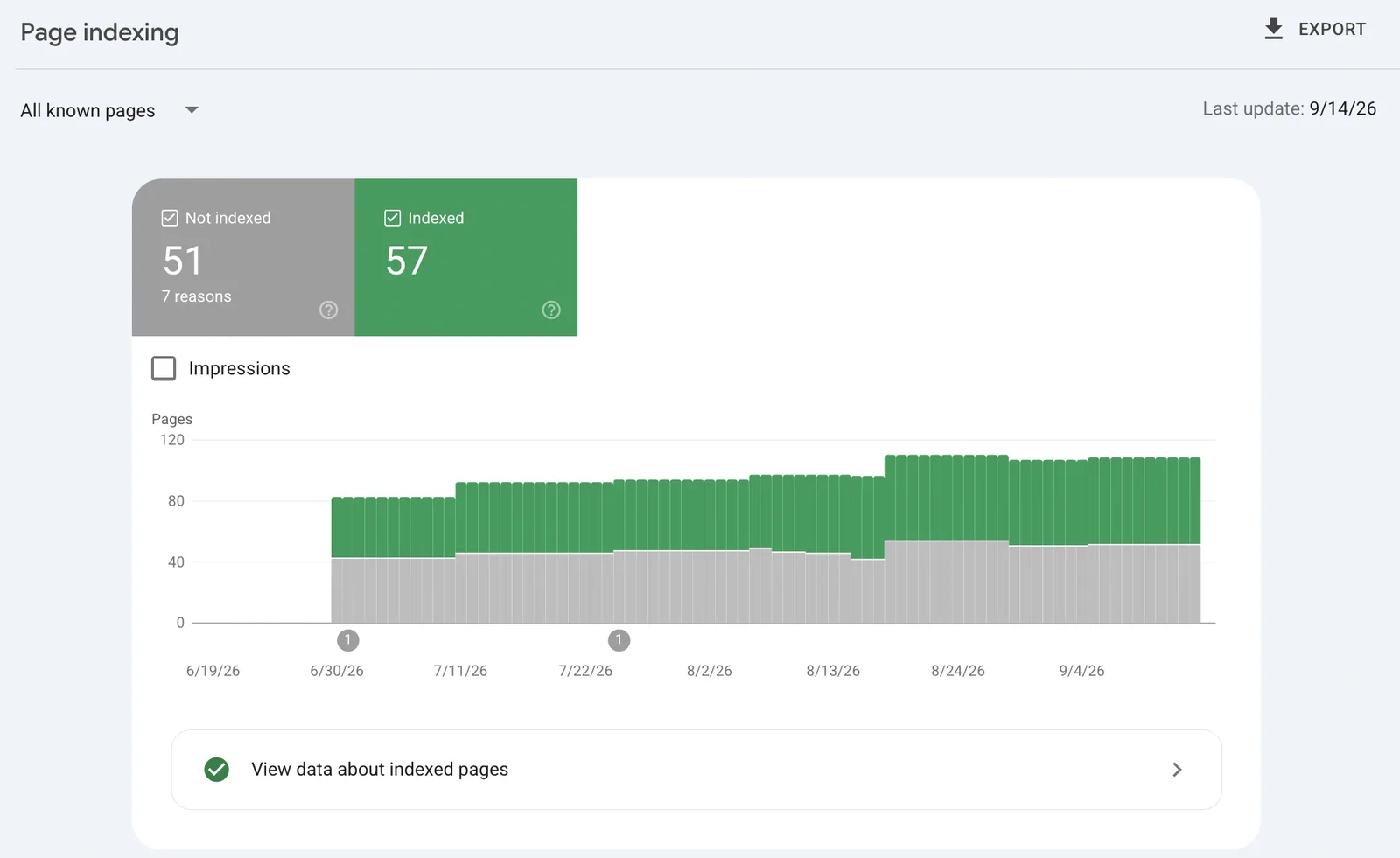
What Google's own index says about you
The crawl shows what your site presents. Search Console shows what Google did with it. I check the two against each other: crawl requests, response times, which bot visits most, and every page that isn't returning a clean 200.
Proving Google sees what your visitors see
I render every key template through Google's Rich Results Test on mobile and desktop, then tally those screenshots against a real phone and a real laptop. Text inside tabs, sliders and accordions has to be in the HTML, not only painted in by JavaScript.
Reading Google's actual visit history from your server
Your server records every Googlebot visit. I read those logs to see which pages Google visits, which it ignores and how much of its budget it burns on URLs that should never have existed.
Every issue arrives as a work item someone can act on
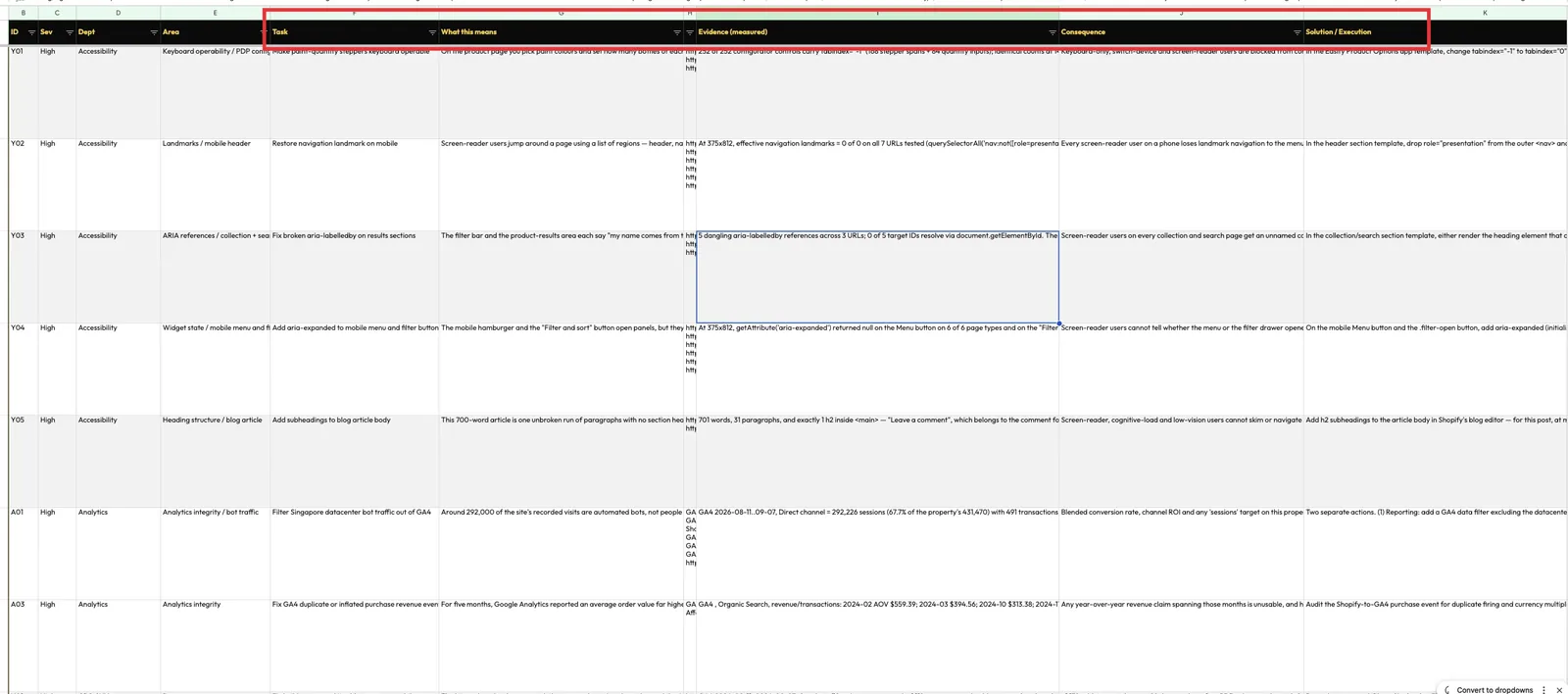
No “we found some issues” summary. Each finding is a self-contained record: what's wrong, the proof, what it costs you, the fix in one sentence, who does it and how, and how we'll know it worked. Every finding is scored for effort, impact and confidence, so the top of the list is the work that pays back soonest.
A two-page executive summary plus the top 20 findings ranked by impact, confidence and effort.
One workbook per audit lane, every row a finding in the IFESE format.
Each fix packaged for your developer, generated from the same source as your report, so the two can never drift apart.
The fixes sequenced into phases your team can actually schedule.
Every issue marked Audit, Solution and Implementation separately, so you always see what's diagnosed versus what's live.
A second crawl after implementation, proving each issue is closed.
Crawl setup, sitemap, robots rules and an indexing baseline: everything later lanes depend on.
How Google really crawls you, whether it can see your JavaScript content, and whether your test site is leaking into search.
Links, e-commerce decline, page-worthiness, trust signals, AI citation tracking and accessibility, commissioned one at a time or all together.
Findings that show up in two or more lanes are traced to their shared root cause, so you fix the disease rather than twenty symptoms.
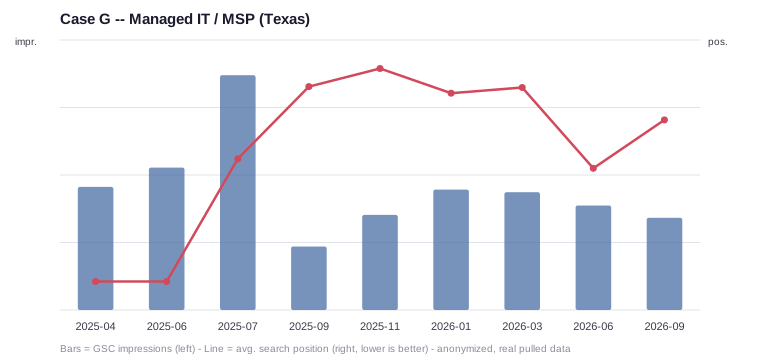
The audit traced twenty separate findings back to two root causes, and the work went at those two instead of the symptoms. Over the engagement the site's average position moved from page 4–5 to page 2, and 199 of its 717 ranking keywords now sit in Google's top three.
The honest part: Raw impressions fell while position improved. Google now shows the site for fewer, better-matched searches. Figures are from Search Console and Ahrefs, September 2026.
The same service does a different job in each trade. Here is the move it makes in each industry I've written up.
SEO has its own vocabulary. Here's the part of it this service uses, so a report never reads like a foreign language.

Everything on this page comes from how I actually run this work. The checklists, the tools and the results are real. Tell me what's happening on your site and I'll tell you honestly whether this is the right place to start, or whether something else needs fixing before it.
Both. Every finding comes with a fix written for your developer, and where I have access I implement it myself. An issue isn't closed until a re-crawl shows it's gone from the live site.
Yes. The lanes are built to be commissioned one at a time. Most sites start with the foundation check and the Search Console audit, then add lanes as the findings point to them.
Findings are ranked by impact against effort, so the top batch is short and pays back fastest. Each fix arrives in its own folder with the exact steps, so your developer isn't reading a 90-page audit to find their task.
Every finding carries a verification line: the metric to watch or the test to re-run, and what result counts as fixed. That's checked, not assumed.
Redesigns, platform moves, rebrands and domain changes run in gated phases, with every URL mapped and every ranking baselined before anything moves.
See the service Fix the foundationFind out what actually caused the drop, fix the cause instead of the symptoms, and track the recovery week by week.
See the service SpecialistCollection and product pages that rank and convert, filters that don't waste Google's time, and a Merchant Center feed that actually gets approved.
See the serviceSend me your site and what you're trying to grow. I'll look at it myself and reply personally, usually within one business day.