Location pages rank when each one proves you actually work in that town: jobs you have done there, photos from those jobs, reviews from local customers and details a resident would recognize. A page that repeats the same text with a new city name is what Google's spam policies describe as a doorway, and it usually ends up competing with your own pages instead of ranking.
This post covers where that doorway line falls, how to decide which towns earn their own page and which belong in a service areas section, what a strong location page contains, how trades should structure service × city pages, how to link them together, and how to merge the thin city pages you already have.
What Google calls a doorway page
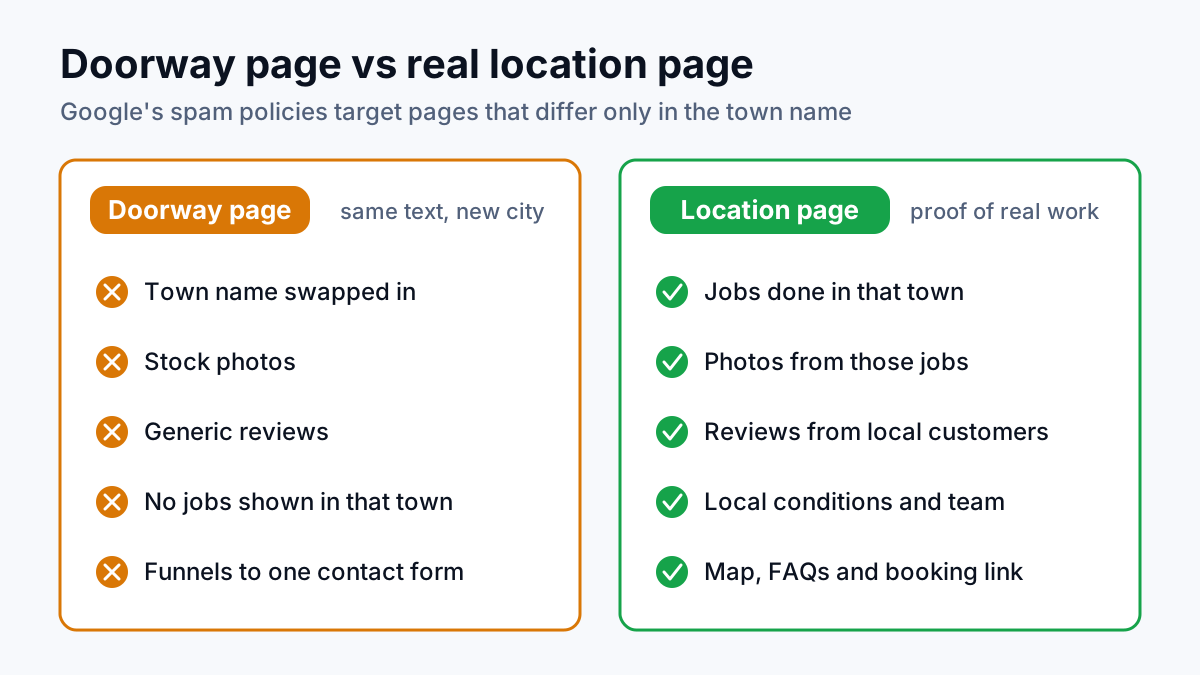
Google's spam policies on doorway abuse describe doorways as sites or pages made to rank for specific, similar searches, which lead people to intermediate pages that are less useful than the final destination. One of the examples Google lists is the local version exactly: several pages or domains aimed at particular cities or regions that all funnel visitors to one page.
Read that carefully and the problem is not a page with a town name in the title. The problem is a set of pages that differ only in the town name, exist only to catch the search, and hand the reader to a contact form that would look the same from any of them. A Tampa page that tells a Tampa homeowner something the Orlando page does not is a location page. A Tampa page that is the Orlando page with one word changed is a doorway, whatever the URL says.
Location pages vs service area pages
The two terms get used as if they were the same thing. They are close, with one difference that matters. A location page is for a place where you have a physical office, shop or branch, with an address a customer could walk into. A service area page is for a town you drive to but have no building in, which is how most plumbers, electricians, HVAC companies and cleaners work.
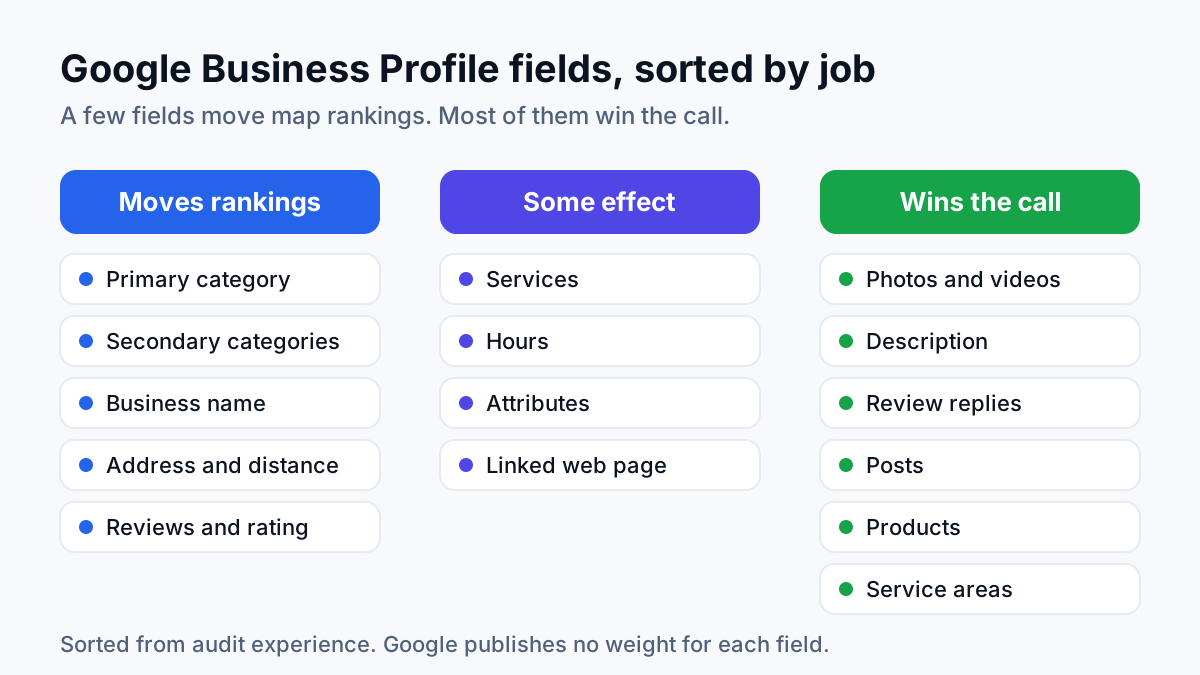
The rules for both are the same: one page per place that has something real to say. The difference shows up in the details. A location page carries that office's address, opening hours and its own Google Business Profile listing. A service area page should never invent an address in a town you only cover; it shows the jobs and the area instead, while your profile lists the towns as service areas. The setup for that is part of Google Business Profile optimization.
When a town deserves its own page
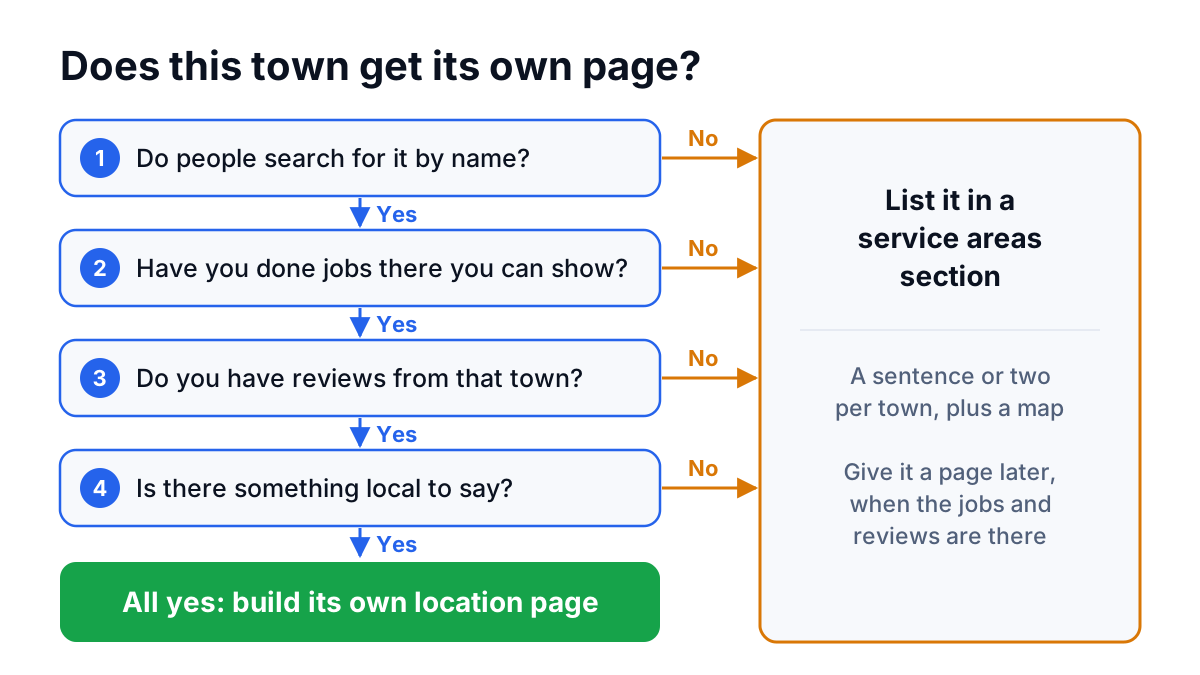
In audits I run, the question I ask of every city page is simple: what would this page say that no other page on the site says? Four signals answer it.
- Real demand. People search for your service with that town's name, or Google Search Console (Google's own report on how your site shows up in search) already records impressions for queries naming it. A town nobody searches for by name does not need its own URL.
- Real jobs. You have done work there and can show it: a job list, photos, the neighborhoods you get called to. If you have never had a job in the town, the page has nothing true to show.
- Local proof. Reviews from customers in that town, ideally ones that mention the town or the job. The way you ask shapes what customers write, which is covered in getting more Google reviews.
- Something local to say. Hard water, older homes with galvanized pipes, septic systems instead of city sewer, a permit office with its own rules, a response time that differs from the next town over. These details make a page useful to a resident and impossible to copy for another town.
A town that passes all four earns a page. One that passes two usually belongs in a service areas section: a single page, or a block on your main service page, that lists the towns you cover with a sentence or two each and a map. It still tells Google and customers where you work, without creating twenty thin URLs that compete with each other.
| Signal | Give it its own page | List it in a service areas section |
|---|---|---|
| Search demand | Searches name the town, or Search Console shows impressions for it | No searches naming the town that you can find |
| Jobs | A steady record of jobs you can describe | Occasional jobs, or none yet |
| Reviews | Several reviews from customers in that town | Few or none that mention the area |
| Local detail | Conditions, rules or response times specific to the town | Nothing that differs from the next town |
| Next move | Keep adding jobs, photos and reviews | Give it a page once the jobs and reviews are there |
What a strong location page contains
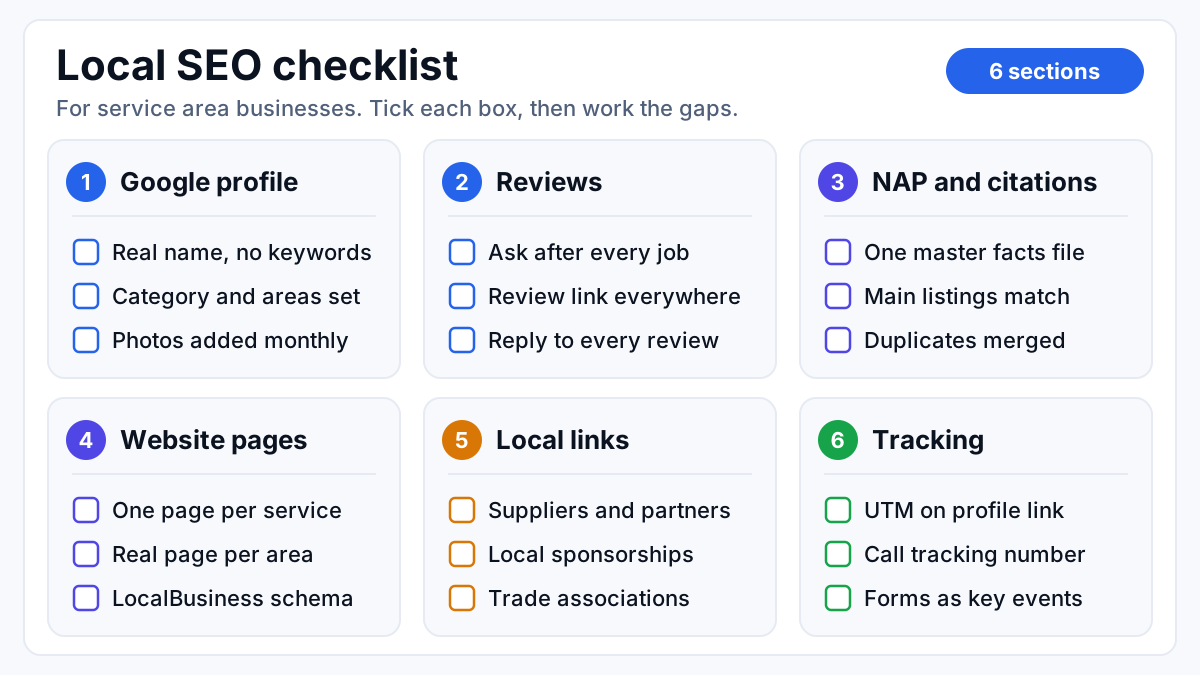
A page that ranks for a town reads like a local branch talking, not a template. Every item on this checklist is a piece of evidence that you work there.
- Local jobs. A handful of short write-ups: the problem, the neighborhood, what you did. Two or three sentences each is enough.
- Photos from those jobs. Taken on site by your crew, with a plain description in the alt text. A stock photo of a smiling technician proves nothing about the town.
- Reviews from that area. Reviews from customers in the town, shown with the reviewer's name and neighborhood where they are happy to share it.
- Local conditions. What is different about the work in this town: water quality, typical home age, soil, climate, local codes or permit steps.
- The team. Who covers the area and where they drive from. A named crew lead with a photo says more than “our experts”.
- A map of the service boundary. The neighborhoods or ZIP codes you cover from there, and where your coverage stops.
- FAQs for that town. Response times, whether a permit is needed there, whether you service septic, access or parking quirks. Real questions your office gets.
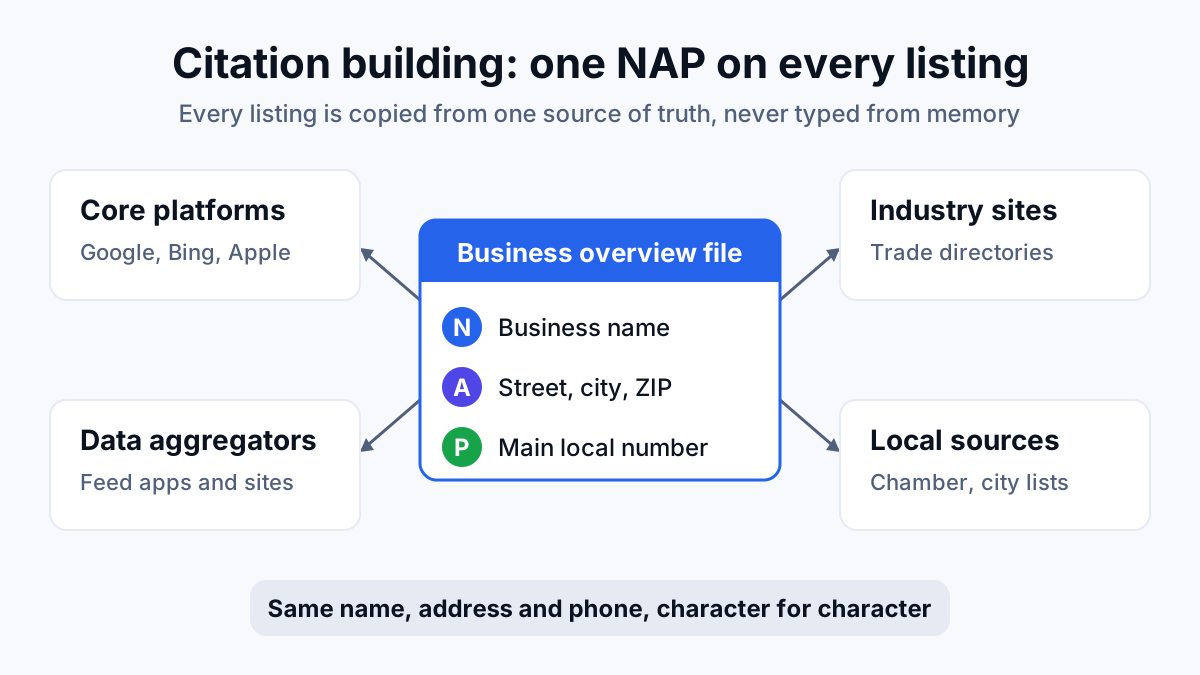
- Matching contact details and schema. The same business name, address and phone (NAP) as your Google Business Profile, plus LocalBusiness schema, which is code that describes your business and the areas you serve to search engines.
- A route to booking. A clear call button and links to the matching service pages, so the reader's next step is on the page.
Notice what is missing from that list: a paragraph repeating the town name, fifty nearby towns in small print at the bottom, or an office address that does not exist. A page that says “proudly serving Springfield” nine times has proved one thing, which is that someone on the team can type Springfield.
How to structure service × city pages for trades
Trades have a second layer. Someone searching “drain cleaning in Tampa” wants a drain page for Tampa, not a general plumber page. That is a service × city page: one page for one service in one town. Built well, it is the page that books the job. Built for every service in every town, it multiplies fast: ten services across thirty towns is three hundred pages, and very few businesses have three hundred pages' worth of local proof.
The structure that holds up has three levels:
- Service pages, one per service and not tied to a town: drain cleaning, water heater installation, sewer line repair, leak detection. These carry the depth about the service itself.
- Town hubs, one per town that passed the test above, such as “Plumber in [Town]”. These carry the local proof and list every service you offer there.
- Service × city pages, built only where that service has its own demand in that town and you have jobs to show, such as “Emergency plumber in [Town]” or “Drain cleaning in [Town]”.
| Page type | Targets | Example URL | Build it when |
|---|---|---|---|
| Service page | drain cleaning | /drain-cleaning/ | You offer the service |
| Town hub | plumber in Tampa | /service-areas/tampa/ | The town passes the demand, jobs and proof test |
| Service × city page | drain cleaning in Tampa | /service-areas/tampa/drain-cleaning/ | That service has its own demand and jobs in the town |
On plumbing sites I plan, the areas-served cluster starts with the town hub and the one or two services that bring urgent calls, and grows only when the jobs support it. The service pages come before any of them, because a city page for a service with no strong page of its own has nothing to point at. The full plan for a trade site, including the research content that feeds these pages, is laid out in SEO for plumbers.
Pick one URL pattern and keep it. Whether the town comes before the service or after matters far less than never having both versions live at once, which is how split city pages start.
Internal linking between service and location pages
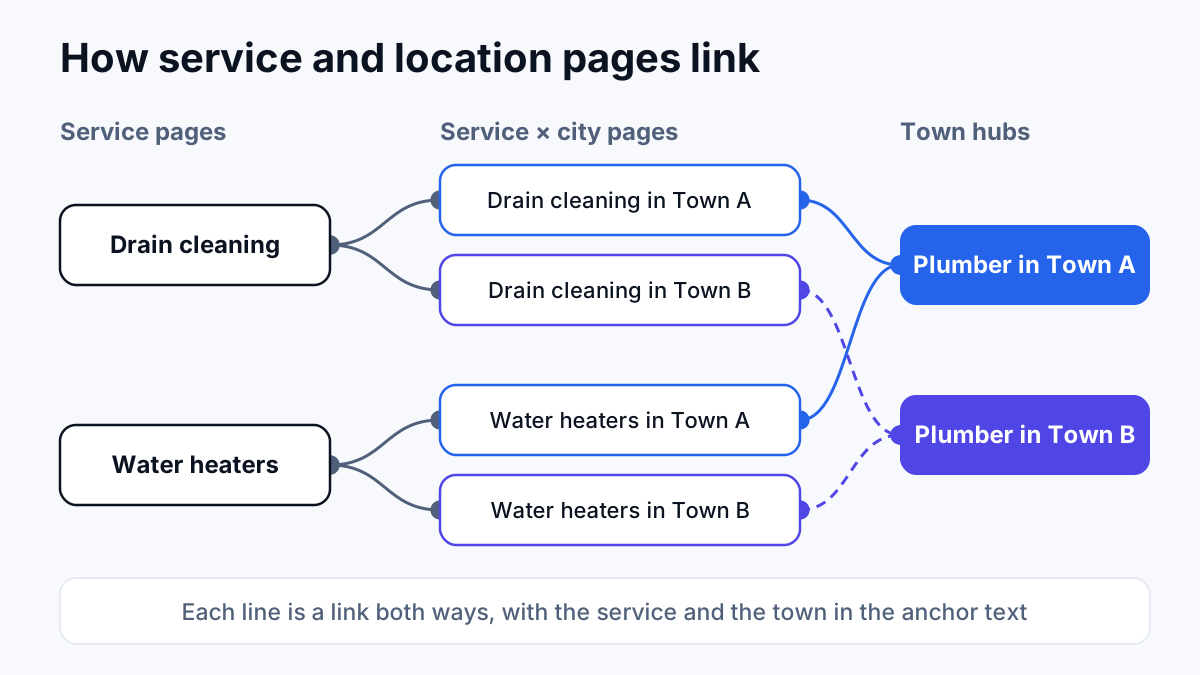
Internal links are how Google works out which page on your site answers which search, and how a reader moves from “who covers my town” to “book the job”. The pattern is a grid, and each link has a job:
- Service page to its city versions. The drain cleaning page links to each “drain cleaning in [Town]” page, with the service and the town in the anchor text.
- Service × city page up and across. Each one links up to its service page and across to its town hub.
- Town hub to every service in that town. The hub lists the services you offer there and links to the city version where one exists, or to the main service page where it does not.
- Neighboring towns to each other, sparingly. Only towns that genuinely border each other, and only where a reader in one might need the other.
- Google Business Profile to the matching page. A profile for a branch links to that branch's location page, not the homepage, and each profile post links to the page it talks about.
The pattern to avoid is a footer that links to every town from every page. It repeats the same block of links sitewide and tells Google nothing about which page matters for which town. Breadcrumbs (Home › Service areas › Tampa › Drain cleaning) do the structural job far more cleanly. The same principle runs through ranking higher on Google Maps: service and place have to appear together, consistently, everywhere Google looks.
How to merge thin or duplicate city pages
Duplication, not scarcity, is the usual problem. The common pattern on trade sites: old location pages from a previous build, a new template someone launched later, and a landing page made for ads, all targeting the same city. Google splits the ranking between them, so none of them ranks the way one strong page would.
On an HVAC site I audited, 9 city location pages each existed in 2 to 4 competing URL versions. One city split 80,563 impressions across 2 pages and earned 10 clicks in total. That is an audit finding, not a before-and-after result, and the split pages were one problem among several on that site. It still shows what duplication costs: plenty of visibility, almost no clicks.
The merge, step by step:
- List every URL per town. Crawl the site and filter the Pages report in Search Console by the town name. Include ad landing pages, old blog posts titled with the town, and anything in the sitemap.
- Pick the page that stays. Usually the one with the most links pointing at it, a URL in your chosen pattern, and the most real local content.
- Move the unique content into it. Any job write-up, photo, review or FAQ that exists only on a losing version gets carried over before anything is removed.
- 301 redirect the losing versions to the page that stays. A 301 is a permanent redirect: it tells Google the old URL has moved and sends its signals to the new one.
- Update internal links and the sitemap so nothing on your own site points at a redirect.
- Point your Google Business Profile at the surviving page if it linked to one of the old ones.
- Check Search Console afterwards to confirm the old URLs drop out and the impressions for that town gather on one page.
Towns that fail the test altogether go through the same process with a different destination: redirect the thin page to the service areas section, or to the nearest town hub that genuinely covers it, and add the town to that section's list. Redirects and duplicate URLs are core technical SEO work, so if your site has dozens of these, fix them as one project rather than one page at a time.
Where to start with your own location pages
Start with a list of every town you currently have a page for, and every town you want one for. Run each through the four signals: demand, jobs, proof and something local to say. Towns that pass get a real page built from the checklist above, towns that do not go into one service areas section, and any town with more than one URL gets merged before anything new is built.
If you want someone to run that audit and build the pages with you, it is part of the work I do as a local SEO consultant for service businesses: location pages, the Google Business Profile and the review system planned as one piece of work rather than three separate jobs.